Teams need to change their code without breaking each other's data. Take plan_tier, which your billing service writes and a revenue dashboard reads: rename it to subscription_tier and the change merges cleanly while the dashboard breaks. A data contract that lives with the code and is checked on every pull request catches that rename before it merges.
Why data contracts belong next to your code
A data contract is the API for your data. Just as an API is defined and enforced in code, a data contract defines and enforces the data interface between the team that produces a dataset and the teams that read it. It's usually a YAML file listing the schema, quality rules, owner and service levels, and where that file lives decides how well it protects plan_tier.
- Who owns the rule?
The team that owns the code. Each team keeps its contracts in its own repository, so rules scale across teams without waiting on one central system.
- Who reviewed the change?
Contracts sit in Git, so every rule has a history of who defined it, who changed it and when, and it goes through code review like any other change.
- Can you take it with you?
A contract in an open YAML format stays portable, with no vendor lock-in.
How to enforce a data contract in CI
A check on the contract is what would have stopped the plan_tier rename. These steps set it up.
- Pick one dataset
Choose a dataset that already has consumers, such as the table behind the revenue dashboard.
- Write the contract next to the code
Keep the contract beside the code that produces the data, so a change to the code and a change to the contract land in the same pull request.
- Lint the file
A malformed rule then fails before it merges.
- Compare with the previous version
A removed or renamed column like plan_tier then shows up as a breaking change.
- Check the code and the data
Confirm that the code or the data still matches the contract. Tools do this against the warehouse, at model build, or by analyzing the pull request.
- Fail the pull request
Fail it when a check fails, and make that check required if you want the merge blocked.
- Name an owner
Give the contract an owner and a place for alerts, such as email or Slack, so a violation reaches the team that can fix it.
Four data contract tools compared
All four enforce a contract, but they differ in where the contract lives, what it covers and what that means for your team.
| Tool |
Where the contract lives |
What it covers |
What it means for your team |
 Foundational |
Open YAML in each team's repository, versioned in Git |
Schema, business, anomaly and SLA rules, plus downstream impact |
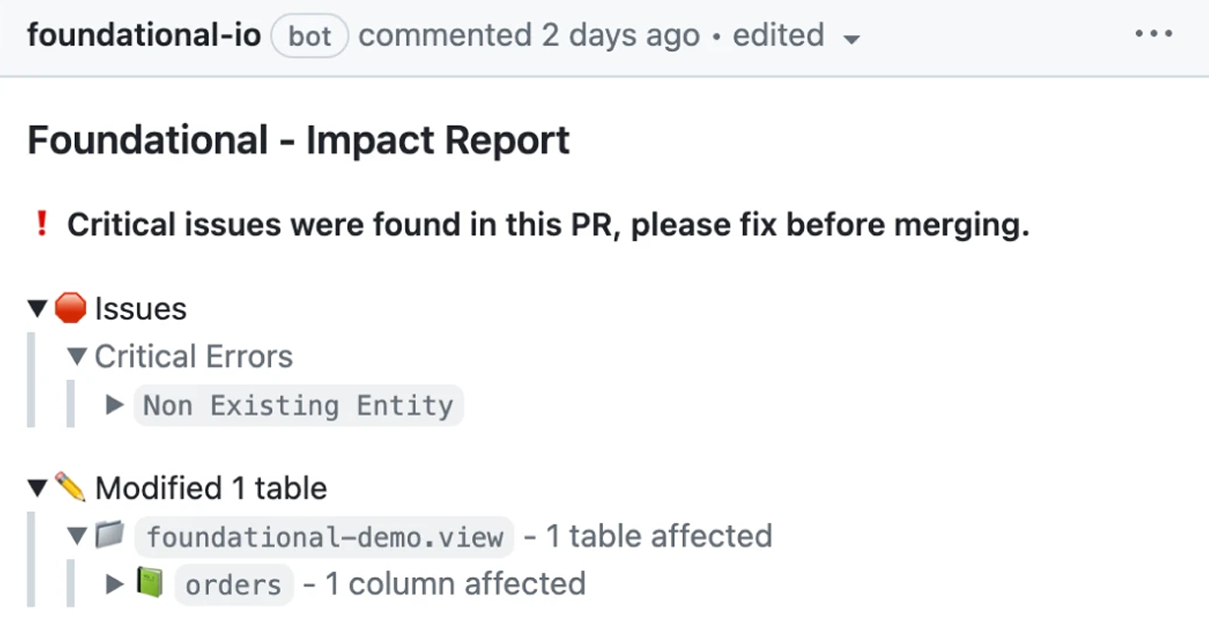
Flags violations in the pull request before merge, and in production data |
 Data Contract CLI |
An ODCS YAML file you keep in source control |
Schema and quality checks on supported data sources only |
Free and open source under the MIT license |
 Soda |
Soda's own YAML contract file |
Contract checks against a configured data source only |
Verifying on a pull request needs data source credentials |
 dbt model contracts |
Column names and types in your dbt model YAML |
dbt models only, not sources, seeds or snapshots |
Fails the build when a column's name or type drifts |
- Foundational: keeps each team's contract as open YAML in its own repository, versioned in Git and reviewed like any other change, so your source of truth lives with the code and scales across teams with no vendor lock-in. It statically analyzes each pull request against the contract and flags a violation before merge, including in application repositories with Java and other application code, not only dbt projects. It shows the dashboards and services a break would reach, checks production data for the rules code can't show, and notifies owners by email, Slack or Microsoft Teams.
- Data Contract CLI: lints ODCS contract files, flags breaking changes between two versions, and tests real data in your sources from a CI job.
- Soda: verifies the contract files a pull request changes against a data source, and publishes them to Soda Cloud when they merge to
main.
- dbt model contracts: check each column's name and type when
contract.enforced: true, and fail the model build if the output doesn't match.
How to choose
Three questions narrow it down.
- Where should the rules live?
Rules kept in each team's repository are reviewed and versioned with the code that produces the data.
- When should a break be caught?
A schema or rule check on the pull request catches a renamed plan_tier before merge. A freshness rule needs live data, so you want a check there too.
- Can you take the contract with you?
One in an open format such as YAML or ODCS moves with you if you change tools.
If you want contracts that live in your code, go through code review, and flag violations before merge and in production, start with data contracts in a data & AI governance platform like Foundational, which also shows the dashboards and services a violation reaches.
Frequently asked questions
A data contract is the API for your data: an agreement between the team that produces a dataset and the teams that consume it, defined and enforced in code. It's usually a YAML file that lists the schema, quality rules, owner and service levels.
It becomes enforceable when a tool checks it, in a pull request, in a model build or against the data after it lands. Foundational keeps contracts as open YAML in each team's repository, next to the code.
How do you enforce data contracts automatically, or in CI?
Store the contract in source control and run a check on every pull request or build. Fail the job when a check fails.
Lint the file, compare it with the previous version, then check that the code or the data still matches. To block the merge, make that check required on the branch. Foundational flags violations in the pull request before merge, and in production data.
How do you implement data contracts?
Start with one dataset that already has consumers, such as the table behind a revenue dashboard. Write the contract next to the code that produces it.
Pick an open format, hook the check into the pull request, and expand once the first contracts have been reviewed. When each team keeps its contracts in its own repository, adding a team doesn't need a central rollout.
What is the Open Data Contract Standard (ODCS), and how do you adopt it?
ODCS is an Apache 2.0 YAML standard for data contracts, governed by Bitol under the LF AI & Data Foundation.
To adopt it, write contracts in that format, keep them in source control and lint them against the official JSON Schema. Then pick a tool that can test the file. Data Contract CLI is listed by Bitol as natively supporting ODCS.
What are the best data contract tools for shift-left data quality in 2026?
There isn't one best tool. Pick by where the contract should live and when the check needs to run.
Data Contract CLI lints and tests ODCS files in CI, Soda verifies its own contract YAML against a data source, and dbt model contracts check a model's shape at build time. Foundational keeps open-YAML contracts with each team's code and flags violations in the pull request and in production.
How do you enforce data contracts between application engineers and the data team in pull requests?
Put the contract in the same review path as the producer change. If the app team changes a service schema, migration or event definition, that pull request should update the contract and run a check.
Foundational can flag a contract or schema violation on a pull request in a connected repository, including repos that aren't dbt projects. Data Contract CLI can lint and test in the same workflow, and dbt contracts apply when the producer is a dbt model.
code snippet <goes here>
<style>.horizontal-trigger {height: calc(100% - 100vh);}</style>
<script src="https://cdnjs.cloudflare.com/ajax/libs/gsap/3.8.0/gsap.min.js"></script>
<script src="https://cdnjs.cloudflare.com/ajax/libs/gsap/3.8.0/ScrollTrigger.min.js"></script>
<script>
// © Code by T.RICKS, https://www.timothyricks.com/
// Copyright 2021, T.RICKS, All rights reserved.
// You have the license to use this code in your projects but not to redistribute it to others
gsap.registerPlugin(ScrollTrigger);
let horizontalItem = $(".horizontal-item");
let horizontalSection = $(".horizontal-section");
let moveDistance;
function calculateScroll() {
// Desktop
let itemsInView = 3;
let scrollSpeed = 1.2; if (window.matchMedia("(max-width: 479px)").matches) {
// Mobile Portrait
itemsInView = 1;
scrollSpeed = 1.2;
} else if (window.matchMedia("(max-width: 767px)").matches) {
// Mobile Landscape
itemsInView = 1;
scrollSpeed = 1.2;
} else if (window.matchMedia("(max-width: 991px)").matches) {
// Tablet
itemsInView = 2;
scrollSpeed = 1.2;
}
let moveAmount = horizontalItem.length - itemsInView;
let minHeight =
scrollSpeed * horizontalItem.outerWidth() * horizontalItem.length;
if (moveAmount <= 0) {
moveAmount = 0;
minHeight = 0;
// horizontalSection.css('height', '100vh');
} else {
horizontalSection.css("height", "200vh");
}
moveDistance = horizontalItem.outerWidth() * moveAmount;
horizontalSection.css("min-height", minHeight + "px");
}
calculateScroll();
window.onresize = function () {
calculateScroll();
};let tl = gsap.timeline({
scrollTrigger: {
trigger: ".horizontal-trigger",
// trigger element - viewport
start: "top top",
end: "bottom top",
invalidateOnRefresh: true,
scrub: 1
}
});
tl.to(".horizontal-section .list", {
x: () => -moveDistance,
duration: 1
});
</script>