Moving from Redshift to Snowflake without breaking the apps, pipelines and dashboards that depend on your data means knowing who reads it. Most of those readers live outside the warehouse. If a billing service reads order_total from your orders table and the move changes that column, the service fails after cutover, and no list of tables would have warned you.
What can break outside Redshift when you move
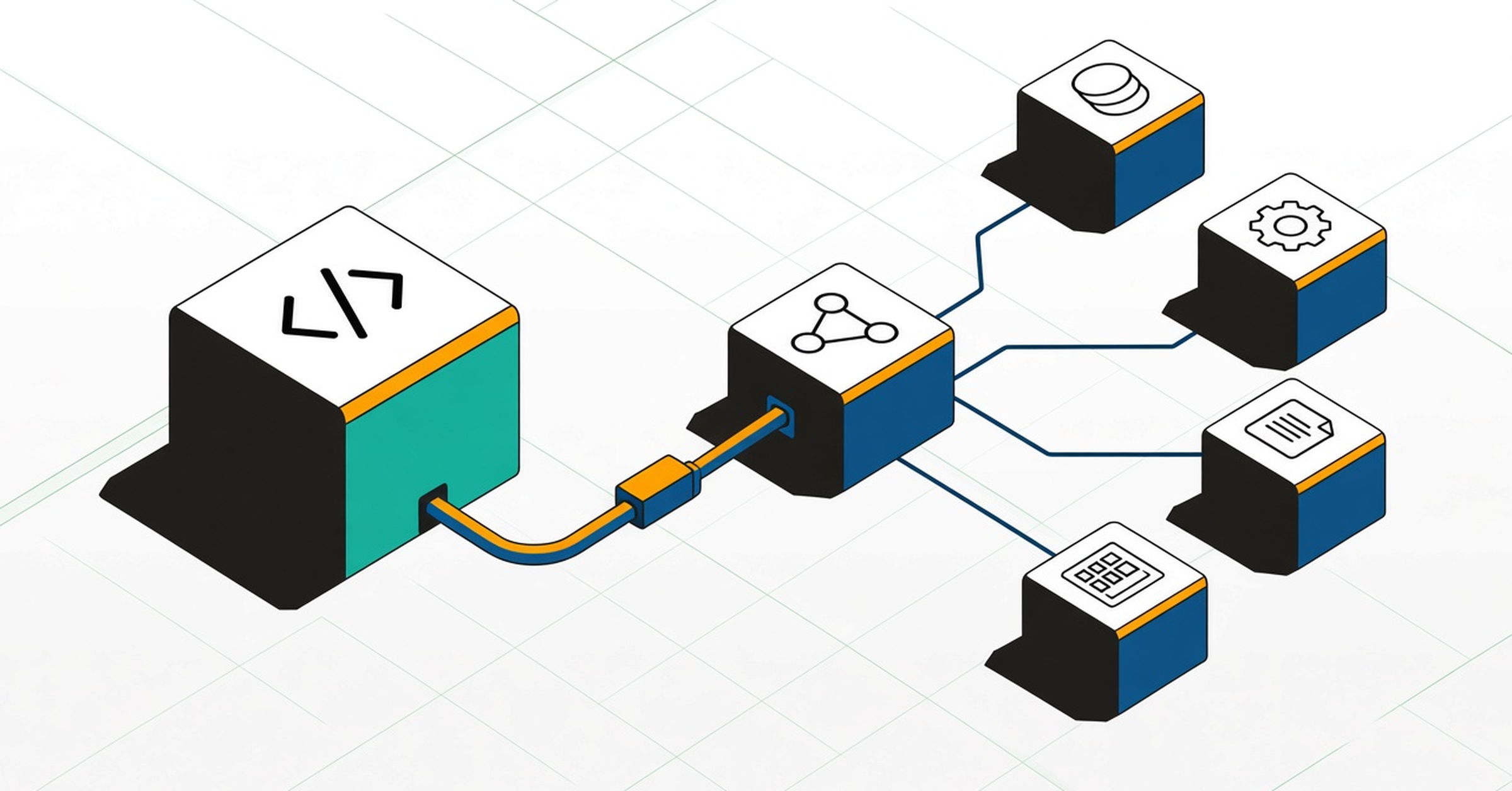
Picture order_total in your orders table. Five kinds of consumer can break if it moves or changes.
- Applications and services: a billing service that queries it needs a new connection, and fails if the SQL it sends is Redshift-specific.
- ETL and orchestration jobs: a scheduled job that loads or unloads the orders table keeps pointing at Redshift.
- dbt models: a model built on it needs the Snowflake adapter, and its incremental logic can behave differently after the switch.
- BI dashboards: a Looker revenue chart fails if the column is renamed or retyped, and custom SQL written for Redshift needs a rewrite.
- Reverse ETL: a sync that sends it to your CRM or finance tool keeps reading from Redshift until you repoint it.
Inside the warehouse, a few differences need rewriting too, such as late-binding views, join-based materialized views and SUPER to VARIANT data types, and a converter can flag them. The consumers outside the warehouse are harder to see, because they live in code and tools that the warehouse doesn't track.
How to map dependencies before cutover
If the finance dashboard is the one you can't afford to break, work through these steps in order.
- Start from what reads Redshift, not only what's in it. List the services, ETL and orchestration jobs, dbt models, dashboards and reverse ETL syncs that read or write each table.
- Trace each consumer down to the column, including application code in Python, Java, TypeScript, Go and more. If you can't name the dashboards that read a table, it isn't ready to move.
- Separate unused objects from objects in use. Query history misses code that is defined but rarely runs, so check code lineage too.
- Plan the changes inside the warehouse: late-binding views, Spectrum tables, join-based materialized views, stored procedures, UDFs, and the dbt adapter with its incremental models.
- Convert the remaining SQL with a documented translator, and review every flagged issue. A clean compile doesn't prove identical results.
- Check every conversion pull request for downstream impact, so a renamed column or dropped view is reviewed against the services, models and dashboards that still depend on it.
- Repoint applications, jobs and BI connections, then confirm that each in-scope dashboard still resolves the same columns.
- Validate outputs in parallel by comparing keys and a sample of column values, not only row counts.
- Cut consumers over once the objects they read are stable, then retire the old Redshift jobs and connections.
“Foundational's ability to surface dependencies has transformed how we approach migrations and code reviews. Code review and data lineage tracking are now smooth processes that save us days of work.”
Four tools compared for a Redshift to Snowflake move
Each tool does a different job on this move, so compare how it works, what it can see and what it means for your move.
| Tool |
How it maps the move |
Coverage across your stack |
What it means for your move |
 Foundational |
Static code analysis, plus warehouse and BI metadata |
Application code, pipelines, warehouse and BI |
Prevents broken downstream dashboards and apps by checking every migration code change |
 SnowConvert AI |
Converts Redshift SQL scripts to Snowflake SQL |
Redshift SQL code only |
Flags constructs it can't convert for manual review |
 Datafold |
Lineage from SQL logs, plus orchestration, BI and docs metadata |
Connected databases, orchestrators and BI tools only |
Checks data parity, though its docs describe SQL logs, not source code |
 Redshift system views |
Built-in catalog views of functions, materialized views and Spectrum tables |
Redshift objects only |
A native first inventory, though schedules and BI SQL sit outside |
- Foundational: prevents broken downstream dashboards and apps during the migration. It checks every migration code change, each conversion pull request, for downstream impact before it merges, and it shows the upstream and downstream dependencies across application code, pipelines, the warehouse and BI. It builds that data flow graph by statically analyzing your code in Python, Java, TypeScript, Go, Scala, SQL, COBOL and more, so it includes code that hasn't run yet.
- SnowConvert AI: converts your Redshift SQL as Snowflake's own converter, and marks the constructs it can't convert for manual review.
- Datafold: plans the move with column-level lineage and uses Data Diff to check that Redshift and Snowflake results match, per its Redshift-to-Snowflake guides. It also offers SQL translation.
- Redshift system views: list your functions, materialized views and Spectrum tables natively. They don't show who reads each object, so you'll still need source control, dbt and each BI tool.
How to choose
Each kind of tool answers a different question, so you may need more than one.
- Which SQL has to be rewritten? A converter does that.
- Do the results match? A diff tool checks Redshift against Snowflake.
- What reads this table? Lineage lists the services, jobs, models and dashboards to repoint and retest.
If your main worry is something breaking after cutover, start with column-level lineage from a data & AI governance platform like Foundational, across application code, pipelines, Redshift, dbt and BI, then check every conversion pull request against it.
Frequently asked questions
How do I map dependencies and column-level lineage before a Redshift to Snowflake migration?
Start from what reads Redshift, not only what's in it: application code in Python, Java, TypeScript, Go and more, ETL and orchestration jobs, dbt models, dashboards and reverse ETL, down to the column. Then list the Redshift objects that need rewriting, such as views, procedures, UDFs and Spectrum tables.
Convert SQL only after that map exists. Then check each conversion pull request for downstream impact, so a renamed column gets checked against everything that still reads it.
Which dashboards use this Redshift table?
Any dashboard with a column-level path to it, including ones that reach the table through a view or a dbt model. If you can't list them, the table isn't ready to move.
Warehouse query history shows recent SQL from BI tools that run live queries. Extracts, cached results and custom SQL still have to be read in the BI tool, or in a lineage tool that parses that project.
How do I see the downstream impact of a schema change?
List every downstream model, view, procedure, job and dashboard that still reads the old column name, type or grain, including consumers several hops away.
Foundational does this on the pull request. It shows the changed assets and everything downstream of them. You can also start from dbt's manifest.json for in-project models and from each BI tool's metadata API, though each stops at its own boundary.
Which platforms detect schema changes before they break downstream dbt models?
Foundational flags breaking schema changes on the pull request and shows the dbt models and BI dashboards they reach, before merge.
A useful check runs before merge, and it covers the models that ref() the changed one as well as consumers outside dbt. dbt's own manifest lists in-project dependents, but not whether a downstream model selects the changed column or whether a dashboard reads the mart directly.
Which AI code review tools catch database migration defects by tracing affected application code?
Foundational traces lineage from source code in Python, Java, TypeScript, Go, Scala, SQL, COBOL and more, and its pull request impact analysis reaches application and BI consumers.
A migration defect can be a renamed or retyped column that still has a caller in application SQL, an ORM, a procedure, a dbt model or a dashboard. A useful check finds those callers before merge, not after the first failed job in Snowflake.
How do I know which dashboards break before merging a dbt pull request?
Join the dbt change to the dashboards that read the model's output columns, not only to the downstream dbt models. On a migration, an adapter switch or a converted model can change those columns.
Foundational shows this as downstream impact on the pull request, including BI dashboards, in a comment in your source control. dbt exposures help too, but only when teams keep the exposures file current.
code snippet <goes here>
<style>.horizontal-trigger {height: calc(100% - 100vh);}</style>
<script src="https://cdnjs.cloudflare.com/ajax/libs/gsap/3.8.0/gsap.min.js"></script>
<script src="https://cdnjs.cloudflare.com/ajax/libs/gsap/3.8.0/ScrollTrigger.min.js"></script>
<script>
// © Code by T.RICKS, https://www.timothyricks.com/
// Copyright 2021, T.RICKS, All rights reserved.
// You have the license to use this code in your projects but not to redistribute it to others
gsap.registerPlugin(ScrollTrigger);
let horizontalItem = $(".horizontal-item");
let horizontalSection = $(".horizontal-section");
let moveDistance;
function calculateScroll() {
// Desktop
let itemsInView = 3;
let scrollSpeed = 1.2; if (window.matchMedia("(max-width: 479px)").matches) {
// Mobile Portrait
itemsInView = 1;
scrollSpeed = 1.2;
} else if (window.matchMedia("(max-width: 767px)").matches) {
// Mobile Landscape
itemsInView = 1;
scrollSpeed = 1.2;
} else if (window.matchMedia("(max-width: 991px)").matches) {
// Tablet
itemsInView = 2;
scrollSpeed = 1.2;
}
let moveAmount = horizontalItem.length - itemsInView;
let minHeight =
scrollSpeed * horizontalItem.outerWidth() * horizontalItem.length;
if (moveAmount <= 0) {
moveAmount = 0;
minHeight = 0;
// horizontalSection.css('height', '100vh');
} else {
horizontalSection.css("height", "200vh");
}
moveDistance = horizontalItem.outerWidth() * moveAmount;
horizontalSection.css("min-height", minHeight + "px");
}
calculateScroll();
window.onresize = function () {
calculateScroll();
};let tl = gsap.timeline({
scrollTrigger: {
trigger: ".horizontal-trigger",
// trigger element - viewport
start: "top top",
end: "bottom top",
invalidateOnRefresh: true,
scrub: 1
}
});
tl.to(".horizontal-section .list", {
x: () => -moveDistance,
duration: 1
});
</script>